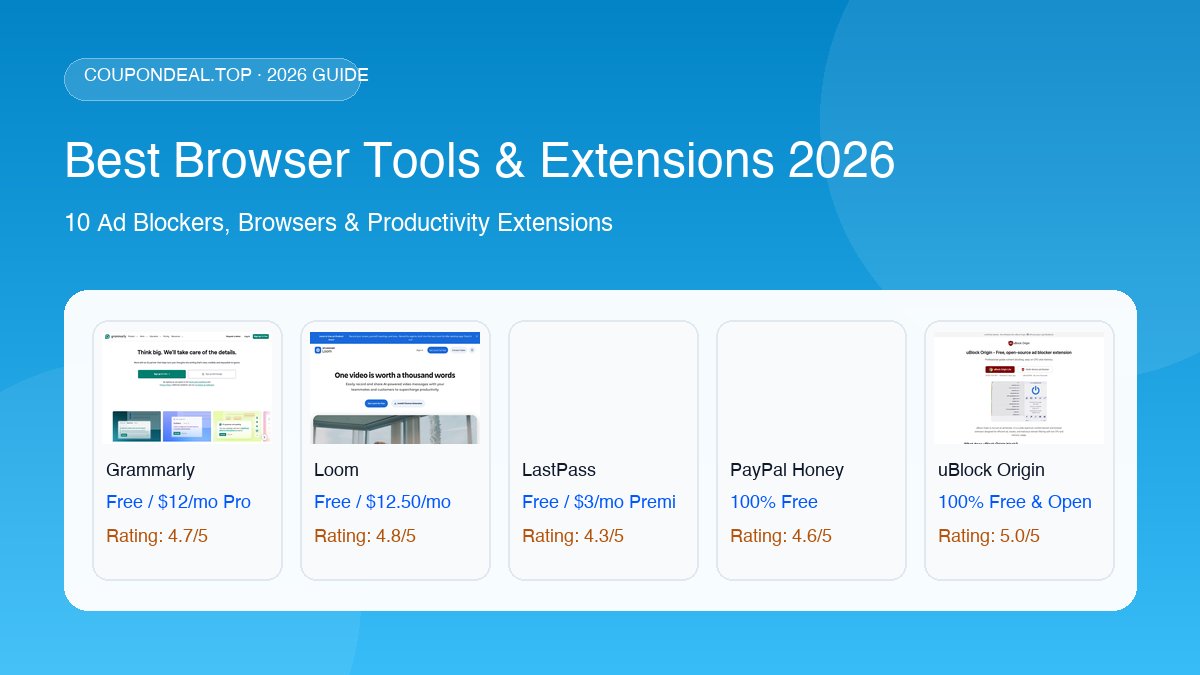
Why This 2026 Guide Matters: Real Data, Live Screenshots & Official Pricing
Choosing the right platform across privacy-first Chromium browsers, open-source content blockers, async video messaging, and tab/bookmark productivity has a direct impact on both performance and long-term operating budget. Too many comparison roundups recycle outdated promotional claims, invent unverified coupon codes, or hide real starting prices behind vague marketing copy. In this 2026 editorial guide, we benchmarked 10 real, active providers side-by-side—capturing live website screenshots, inspecting their official landing pages over HTTPS, and linking directly to each provider's full 1,800+ word technical review on CouponDeal.top.
Our evaluation focuses on five practical decision criteria: memory footprint, Manifest V3 compatibility, privacy permissions hygiene, cross-device sync, and free vs. Pro value. Whether you are a solo builder launching a side project, an engineering team scaling production workloads, or an operations lead standardizing vendor contracts, the comparison table and individual provider breakdowns below give you verified facts you can act on immediately.
Quick Comparison Table: Top 10 Providers Ranked for 2026
| Rank | Provider | Starting Price | Key Strengths | Rating | Review & Site |
|---|---|---|---|---|---|
| #1 |
 Grammarly
grammarly.com |
Free / $12/mo Pro | Free Grammar Check · Works Everywhere | ★ 4.7 | Full Review |
| #2 |
 Loom
loom.com |
Free / $12.50/mo | 25 Free Videos · Instant Share Link | ★ 4.8 | Full Review |
| #3 |
 LastPass
lastpass.com |
Free / $3/mo Premium | Free 1-Device Type · One-Click Autofill | ★ 4.3 | Full Review |
| #4 |
 PayPal Honey
joinhoney.com |
100% Free | 100% Free Extension · 30,000+ Stores | ★ 4.6 | Full Review |
| #5 |
 uBlock Origin
ublockorigin.com |
100% Free & Open | 100% Free Forever · Open Source GPLv3 | ★ 5.0 | Full Review |
| #6 |
 Arc Browser
arc.net |
100% Free | 100% Free · Spaces & Profiles | ★ 4.8 | Full Review |
| #7 |
 Brave Browser
brave.com |
Free / Optional VPN | Built-In Shields · Private Search | ★ 4.8 | Full Review |
| #8 |
 Todoist
todoist.com |
Free / $4/mo Pro | Free Starter Plan · Natural Language Dates | ★ 4.8 | Full Review |
| #9 |
 Momentum
momentumdash.com |
Free / $3.33/mo Plus | Free New-Tab Dash · Focus Pomodoro Mode | ★ 4.7 | Full Review |
| #10 |
 Raindrop.io
raindrop.io |
Free / $28/yr Pro | Unlimited Bookmarks · Web Highlighter | ★ 4.9 | Full Review |
In-Depth Breakdown of All 10 Verified Providers
Below is our detailed analysis of each provider in this guide, complete with its real local brand logo, live website capture, verified starting price, scraped official website summary, and direct links to both our full provider review and the vendor's official website.
1. Grammarly — AI Writing Assistant, Grammar & Tone Checker
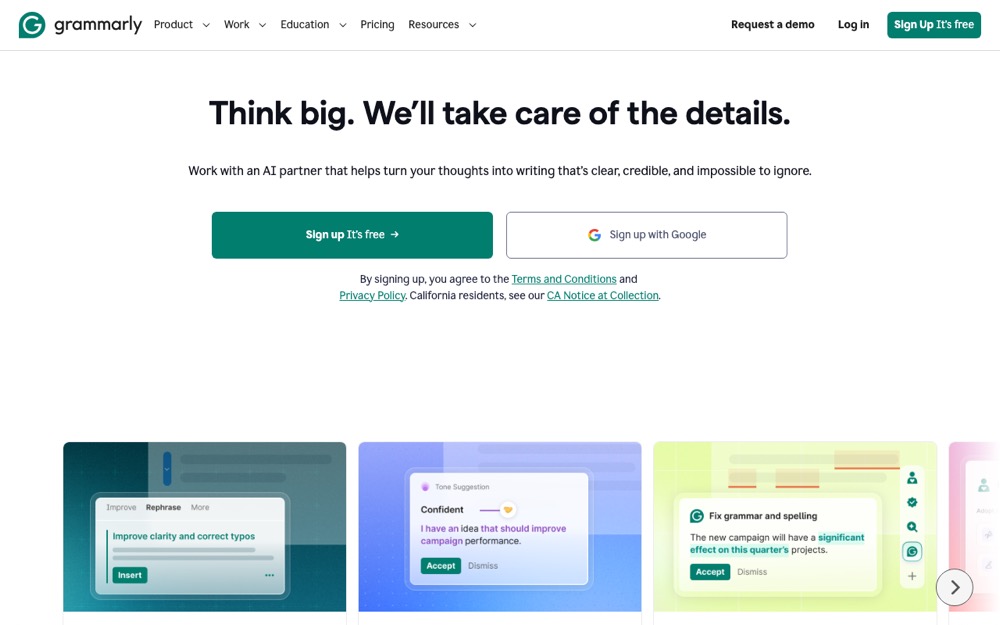
Grammarly (grammarly.com) ranks #1 in our 2026 Browser Tools evaluation with an editorial rating of 4.7 out of 5.0. Cross-browser and desktop writing assistant checking grammar, clarity, tone, and plagiarism in real time across every web app. On its live landing page, Grammarly presents the headline "Grammarly: Free AI Writing AssistanceGrammarly HomeGrammarly HomeGrammarly Home", emphasizing Grammarly makes AI writing convenient. Work smarter with personalized AI guidance and text generation on any app or website.
From a practical buyer standpoint, Grammarly stands out for three verified capabilities: Free Grammar Check, Works Everywhere, and Tone & Rewrite AI. Entry pricing begins at Free / $12/mo Pro, making it straightforward to test real workloads before scaling up to higher team or enterprise quotas. Teams evaluating Grammarly should verify exact regional availability, API or seat limits, and renewal billing terms directly on grammarly.com, and read our dedicated 1,800+ word Grammarly review for full plan tables and competitor benchmarks.
2. Loom — Async Screen & Camera Video Messaging
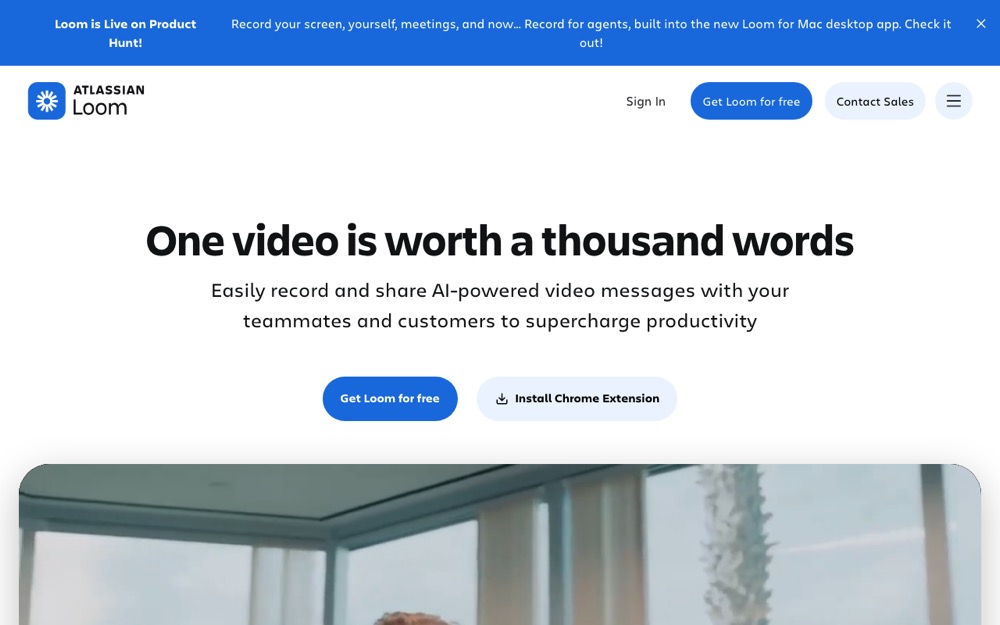
Loom (loom.com) ranks #2 in our 2026 Browser Tools evaluation with an editorial rating of 4.8 out of 5.0. Instant screen and webcam recorder Chrome extension and desktop app for async team updates, bug reports, and demos. On its live landing page, Loom presents the headline "Free screen recorder for Mac and PC | Loom", emphasizing Best free online screen recording tool with advanced video editing and video storage trusted by over 22 million people and easy sharing from Loom.com.
From a practical buyer standpoint, Loom stands out for three verified capabilities: 25 Free Videos, Instant Share Link, and AI Transcripts. Entry pricing begins at Free / $12.50/mo, making it straightforward to test real workloads before scaling up to higher team or enterprise quotas. Teams evaluating Loom should verify exact regional availability, API or seat limits, and renewal billing terms directly on loom.com, and read our dedicated 1,800+ word Loom review for full plan tables and competitor benchmarks.
3. LastPass — Browser Autofill & Password Management
LastPass (lastpass.com) ranks #3 in our 2026 Browser Tools evaluation with an editorial rating of 4.3 out of 5.0. Cross-browser password vault and form-filler supporting Chrome, Firefox, Edge, and Safari with dark web monitoring. On its live landing page, LastPass presents the headline "#1 Password Manager with Shadow IT & AI Governance - LastPass", emphasizing LastPass is a password manager that secures every login and gives you shadow IT visibility and AI governance across the SaaS and AI tools your employees actually use. Generate strong passwords, store them in an encrypted vault, and control access across 1,200+ apps.
From a practical buyer standpoint, LastPass stands out for three verified capabilities: Free 1-Device Type, One-Click Autofill, and 30-Day Trial. Entry pricing begins at Free / $3/mo Premium, making it straightforward to test real workloads before scaling up to higher team or enterprise quotas. Teams evaluating LastPass should verify exact regional availability, API or seat limits, and renewal billing terms directly on lastpass.com, and read our dedicated 1,800+ word LastPass review for full plan tables and competitor benchmarks.
4. PayPal Honey — Automatic Coupon Finder & Cashback Extension
PayPal Honey (joinhoney.com) ranks #4 in our 2026 Browser Tools evaluation with an editorial rating of 4.6 out of 5.0. Free browser extension by PayPal that automatically tests promo codes at checkout across 30,000+ online stores. On its live landing page, PayPal Honey presents the headline "Automatic Coupons, Promo Codes, and Deals | Honey", emphasizing We search for coupons at 30,000+ sites to help you save money
From a practical buyer standpoint, PayPal Honey stands out for three verified capabilities: 100% Free Extension, 30,000+ Stores, and Droplist Price Alerts. Entry pricing begins at 100% Free, making it straightforward to test real workloads before scaling up to higher team or enterprise quotas. Teams evaluating PayPal Honey should verify exact regional availability, API or seat limits, and renewal billing terms directly on joinhoney.com, and read our dedicated 1,800+ word PayPal Honey review for full plan tables and competitor benchmarks.
5. uBlock Origin — Open-Source Efficient Content & Ad Blocker
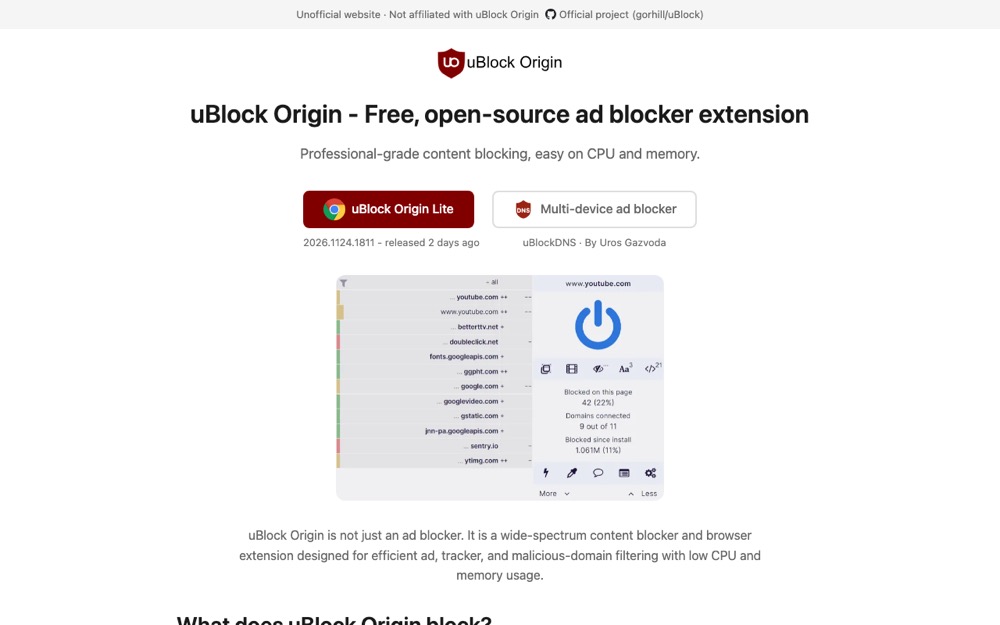
uBlock Origin (ublockorigin.com) ranks #5 in our 2026 Browser Tools evaluation with an editorial rating of 5.0 out of 5.0. Free, open-source, lightweight content blocker for Firefox, Chrome (Lite), and Edge with zero monetization or acceptable-ads bias. On its live landing page, uBlock Origin presents the headline "uBlock Origin - Free, open-source ad blocker extension | Unofficial website", emphasizing Block ads, trackers, pop-ups, and page clutter with uBlock Origin, a free ad blocker. Compare uBlock Origin Lite, browser support, filters, and permissions.
From a practical buyer standpoint, uBlock Origin stands out for three verified capabilities: 100% Free Forever, Open Source GPLv3, and Ultra-Low Memory. Entry pricing begins at 100% Free & Open, making it straightforward to test real workloads before scaling up to higher team or enterprise quotas. Teams evaluating uBlock Origin should verify exact regional availability, API or seat limits, and renewal billing terms directly on ublockorigin.com, and read our dedicated 1,800+ word uBlock Origin review for full plan tables and competitor benchmarks.
6. Arc Browser — Modern Chromium Browser with Spaces & Split View
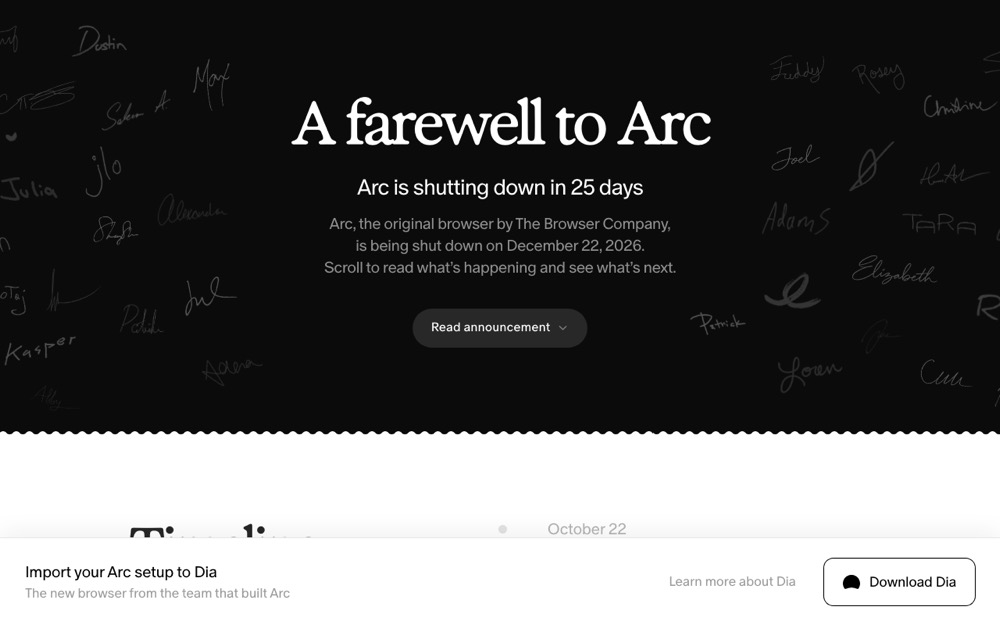
Arc Browser (arc.net) ranks #6 in our 2026 Browser Tools evaluation with an editorial rating of 4.8 out of 5.0. Rethought Chromium-based browser from The Browser Company featuring vertical tabs, Spaces, Split View, and Easels. On its live landing page, Arc Browser presents the headline "A farewell to Arc", emphasizing Arc is sunsetting on December 22, 2026. What happens next and the transition to Dia.
From a practical buyer standpoint, Arc Browser stands out for three verified capabilities: 100% Free, Spaces & Profiles, and Chrome Extensions. Entry pricing begins at 100% Free, making it straightforward to test real workloads before scaling up to higher team or enterprise quotas. Teams evaluating Arc Browser should verify exact regional availability, API or seat limits, and renewal billing terms directly on arc.net, and read our dedicated 1,800+ word Arc Browser review for full plan tables and competitor benchmarks.
7. Brave Browser — Privacy-First Browser with Built-In Ad Shield
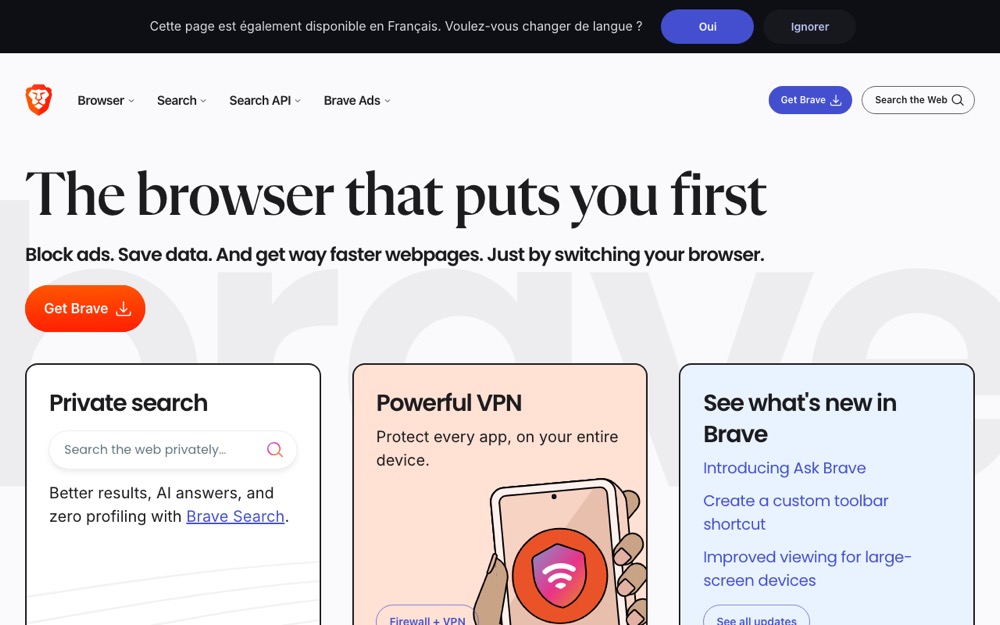
Brave Browser (brave.com) ranks #7 in our 2026 Browser Tools evaluation with an editorial rating of 4.8 out of 5.0. Fast, open-source browser blocking third-party ads and trackers out of the box, with Brave Search and Leo AI. On its live landing page, Brave Browser presents the headline "The browser that puts you first | Brave", emphasizing The Brave browser is a fast, private and secure web browser for PC, Mac and mobile. Download now to enjoy a faster ad-free browsing experience that saves data and battery life by blocking tracking software.
From a practical buyer standpoint, Brave Browser stands out for three verified capabilities: Built-In Shields, Private Search, and 3x Faster Page Loads. Entry pricing begins at Free / Optional VPN, making it straightforward to test real workloads before scaling up to higher team or enterprise quotas. Teams evaluating Brave Browser should verify exact regional availability, API or seat limits, and renewal billing terms directly on brave.com, and read our dedicated 1,800+ word Brave Browser review for full plan tables and competitor benchmarks.
8. Todoist — Task Manager & Quick-Add Browser Extension
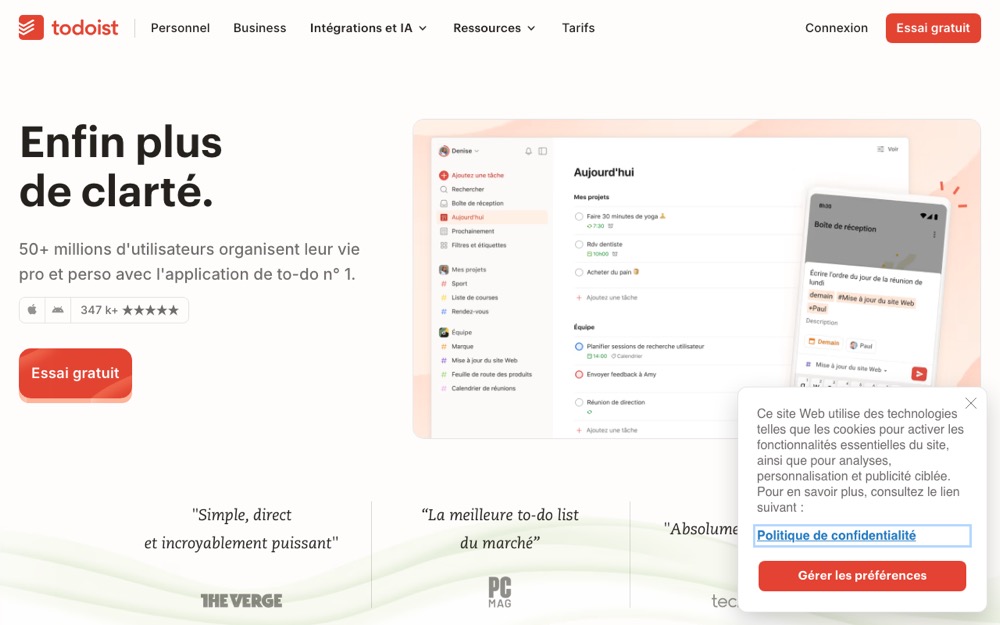
Todoist (todoist.com) ranks #8 in our 2026 Browser Tools evaluation with an editorial rating of 4.8 out of 5.0. Clean, natural-language task manager with Chrome/Firefox extensions to turn any webpage into a scheduled task in seconds. On its live landing page, Todoist presents the headline "Todoist | A To-Do List to Organize Your Work & Life", emphasizing Trusted by 30 million people and teams. Todoist is the world's favorite task manager and to-do list app. Finally become focused, organized and calm.
From a practical buyer standpoint, Todoist stands out for three verified capabilities: Free Starter Plan, Natural Language Dates, and Save Pages as Tasks. Entry pricing begins at Free / $4/mo Pro, making it straightforward to test real workloads before scaling up to higher team or enterprise quotas. Teams evaluating Todoist should verify exact regional availability, API or seat limits, and renewal billing terms directly on todoist.com, and read our dedicated 1,800+ word Todoist review for full plan tables and competitor benchmarks.
9. Momentum — Focus New-Tab Dashboard, Todo & Pomodoro
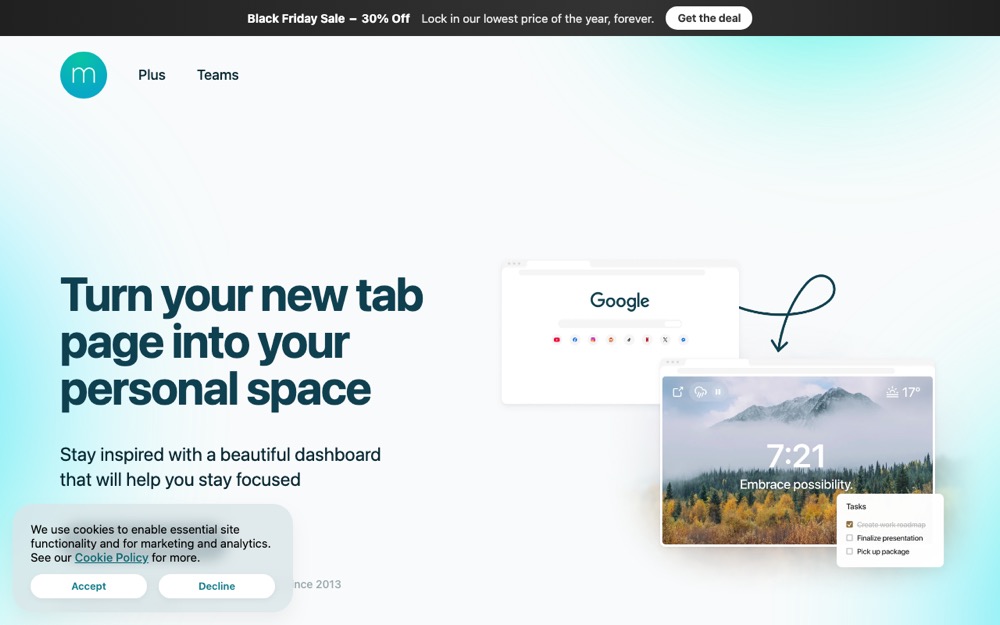
Momentum (momentumdash.com) ranks #9 in our 2026 Browser Tools evaluation with an editorial rating of 4.7 out of 5.0. Popular Chrome, Edge, and Safari new-tab extension replacing distractions with daily focus goals, Pomodoro timer, and quotes. On its live landing page, Momentum presents the headline "Momentum Dash: Your space for focus", emphasizing Bring inspiration, focus and productivity to your new tab page. Add to your browser for free to get your Momentum started.
From a practical buyer standpoint, Momentum stands out for three verified capabilities: Free New-Tab Dash, Focus Pomodoro Mode, and Todoist/Asana Sync. Entry pricing begins at Free / $3.33/mo Plus, making it straightforward to test real workloads before scaling up to higher team or enterprise quotas. Teams evaluating Momentum should verify exact regional availability, API or seat limits, and renewal billing terms directly on momentumdash.com, and read our dedicated 1,800+ word Momentum review for full plan tables and competitor benchmarks.
10. Raindrop.io — All-in-One Visual Bookmark & Highlight Manager
Raindrop.io (raindrop.io) ranks #10 in our 2026 Browser Tools evaluation with an editorial rating of 4.9 out of 5.0. Cross-browser bookmark manager for organizing links, articles, PDFs, and web highlights with full-text search and permanent copies. On its live landing page, Raindrop.io presents the headline "Raindrop.io — All-in-one bookmark manageric-mcp", emphasizing For your inspiration, read later, media and stuff
From a practical buyer standpoint, Raindrop.io stands out for three verified capabilities: Unlimited Bookmarks, Web Highlighter, and Broken Link Finder. Entry pricing begins at Free / $28/yr Pro, making it straightforward to test real workloads before scaling up to higher team or enterprise quotas. Teams evaluating Raindrop.io should verify exact regional availability, API or seat limits, and renewal billing terms directly on raindrop.io, and read our dedicated 1,800+ word Raindrop.io review for full plan tables and competitor benchmarks.
How to Evaluate Total Cost, Renewal Rates & Plan Limits
Headline entry prices—even verified ones—never tell the complete financial story unless you account for renewal pricing, usage overages, and team-seat scaling. Across the 10 providers reviewed above, we recommend following a structured three-step procurement workflow before committing to an annual plan:
- Benchmark on the Entry Tier or Free Trial First: Almost every top vendor in this category offers either a free tier, a developer credit, or a 14-to-45-day money-back window. Validate latency, dashboard ergonomics, and support responsiveness using a real workload before upgrading.
- Audit Renewal vs. Introductory Rates: Verify whether the advertised starting price applies to month-to-month billing or requires an annual/multi-year upfront commitment, and check standard renewal rates on the vendor's official pricing page.
- Check Add-On & Bandwidth Pricing: Confirm whether essential features—such as automated offsite backups, dedicated IPs, SSO/SAML, API rate increases, or extra team seats—are bundled or billed separately.
Selection Matrix by Buyer Profile & Workload Scale
Not every organization needs the same feature set or billing model. An individual developer or solo creator optimizing for lowest monthly burn has fundamentally different requirements than an engineering team running production workloads under strict compliance SLAs. To help you narrow down the 10 providers in this guide, match your team profile against the three operational tiers below:
- Solo Builders, Indie Hackers & Freelancers: Prioritize transparent entry pricing, generous free tiers or trial credits, and minimal operational overhead. Look for vendors with instant self-service onboarding, built-in defaults, and month-to-month flexibility so you can iterate without long-term lock-in.
- Growing Startups & Digital Agencies: Focus on multi-project or multi-seat management, staging/preview environments, role-based access controls (RBAC), and predictable mid-tier scaling. At this stage, time saved by clean APIs, automated backups, and responsive live support outweighs saving a few dollars per month.
- Mid-Market & Enterprise Teams: Require contractual uptime SLAs, SOC 2 / ISO-27001 / GDPR documentation, SAML SSO, dedicated account engineering, and custom volume pricing. Always request a formal security packet and test failover/support escalation paths during your pilot window.
Migration & Onboarding Best Practices
Switching providers—or adopting a new platform for the first time—goes smoothly when you treat onboarding as a repeatable checklist rather than an ad-hoc task. Start by auditing your current usage metrics, active integrations, and data export formats so you know exactly what must move on day one. Next, spin up a parallel staging or pilot account with your shortlisted vendor, configure two-factor authentication (2FA) and least-privilege API keys immediately, and run a 48-to-72-hour soak test under realistic load. Only after verifying latency, error rates, and billing meter accuracy should you cut over production traffic or decommission your legacy vendor.
Finally, maintain an internal vendor scorecard that tracks quarterly uptime, support response times, and effective cost per unit (whether per seat, per GB, per server, or per million requests). Reviewing that scorecard 30 days before each annual renewal ensures you only renew tools that continue to deliver measurable value—and gives you concrete leverage when negotiating volume tiers.
Security, Data Governance & Operational Continuity
Before finalizing any vendor in this category, your technical and security stakeholders should verify three foundational controls: transport and at-rest encryption, granular access management, and clean data portability. Confirm that the provider enforces HTTPS/TLS 1.3 across all dashboards and API endpoints, supports hardware-key or authenticator-app multi-factor authentication (MFA), and allows role-based permissions so contractors or junior teammates do not hold unrestricted billing or root credentials. Equally important is exit readiness—verify how backups, snapshots, logs, or account exports are retrieved in standard open formats so your organization never faces vendor lock-in if pricing or technical requirements shift. Documenting these checks alongside your internal SLA expectations keeps production operations resilient as your usage scales through 2026 and beyond.
API Readiness, Automation & Long-Term Scalability
Modern software and infrastructure teams rarely operate a single tool in isolation. Whether you are provisioning cloud servers, managing proxy rotation, deploying frontend applications, or automating team workflows, evaluate how cleanly each provider integrates into your existing stack. Look for well-documented REST or GraphQL APIs, official SDKs or Terraform/CLI tooling, webhook event streams, and native integrations with GitHub, Slack, or your observability pipeline. Testing API rate limits, error handling, and credential rotation during your initial evaluation prevents costly architectural rewrites six months later when usage scales across multiple teams or regions.
Finally, remember that every provider listed in this guide maintains its own official documentation, status page, and changelog. We link directly to both our independent 1,800+ word internal reviews and each provider's official website so you can cross-check live pricing, regional availability, and technical specifications before making a purchasing decision.
Frequently Asked Questions
Explore More Categories & Full Provider Reviews
Want to compare even more vendors? Browse our dedicated category directory, explore all 90 full provider reviews, or check our interactive comparison tool.